SEO
5 Best Content Management Systems for SEO in 2022 & Why
SEO optimizing your website is an ongoing process. Implement, measure results, change your strategy accordingly, repeat. However, think about it like that: Google Search is one of the first interactions a potential customer has with your website or service. No matter the stage of customer journey they are in, whether they are just browsing through some options, or have already decided what they want to buy, customers will most likely use Google to search for what they want to buy. Taking into account that the first page of results gets approximately 91% of traffic, it is crucial to make the right efforts and decisions in order to place yourself at the top of the list.
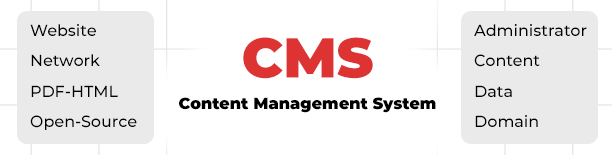
What is a Content Management System (CMS)?
One of the first steps when launching your new website is thinking about what CMS to choose. If you want your website to make it to Google’s first results, you should pick a CMS with SEO in mind that allows for maximum optimization, functionality and performance.
In this article, we will compile a list of features that an SEO friendly CMS should have in order to perform well and talk about 5 popular platforms, along with advantages and disadvantages for using each one of them.
There are two ways you can optimize your website for SEO:
- Technical SEO - this refers to those elements that are not visible on the website, like loading time, site structure, XML sitemaps or robots.txt file;
- On page SEO - this refers to elements you see, like meta title, meta description, keywords, internal linking or images.
CMS Features that matter for SEO
- Customizable page elements
First things first, your CMS should let you easily customize some of the most essential features for SEO: title tag, meta description, headings & image alt text. Customizing them properly, by including your target keywords, is vital for ranking well in Google Search.
The structure of the URLs tell users & search engines what your page is about. Search engines don’t like lengthy, complex URL structures, favoring short, simple & easily understandable ones. Your CMS should let you customize for clean, sleek URLs.
3. Internal linking
Internal linking is one of the most important on-page SEO elements. Firstly, by linking your related content, you can help search engines find the content you have written on a topic, thus improving your chances of ranking for keywords related to that topic. Secondly, you can improve your visitors’ experience by linking helpful resources throughout your articles, making them spend more time on your website, thus increasing dwell time.
Sure, you can manually set up your internal links every time you create a new post/article. But a CMS platform with a built-in internal linking tool can aid in automating this process.
4. Taxonomy
Taxonomy is also important for readers and search engines to understand your content. The majority of CMSs offer categories & tags to organize your content. Some CMS platforms also offer advanced options for taxonomy, like topic clusters.
5. Navigation
Using intuitive navigation, you can organize your content in such a way that search engines can easily crawl them, while also allowing readers to find what they are looking for. The CMS you choose should have a practical site menu and breadcrumbs features.
6. Page Speed & Core Web Vitals
Page speed is one of the most important ranking factors for Google. A website that loads slowly will experience ranking issues. Well written and unbloated code or optimized images are crucial here. Moreover, speed ranking factor also applies to mobile search since 2018.
Secondly, since May 2021, page experience has been added as a ranking factor by Google. Page performance can be checked with the Core Web Vitals report and learn about best practices for offering users the best experience possible. The report covers 3 metrics - LCP (largest contentful paint), FID (first input delay) and CLS (cumulative layout shift).
Your CMS of choice should also feature additional plugins/ optimizations for improving site speed and image compression.
7. Mobile optimization & responsive themes
Mobile search accounts for more than 60% of organic searches. Moreover, Google prioritizes mobile friendly results. Since March 2021, when the Mobile first indexing update rolled out, mobile search has become more important than ever. Taking all these into account, it is crucial that your content is optimized for mobile and your website is responsive. This can be easily done by choosing a CMS that features mobile-optimized themes and templates, so that every post you publish is well- optimized.
Your CMS of choice should make it easy to set up 301 redirects. Sometimes, it is necessary to use a 301 redirect. For example, you may find redundant or duplicate pages on your website, with no actual value or qualified traffic for your business; you can choose to redirect rather than delete them.
9. Blogging features
A blog is a necessary tool for your content marketing strategy. That’s why picking a platform with lots of easy to use blogging tools and templates is extremely important. For example, a drag-and-drop editor that uses modules for images or videos, can be a great option for creating engaging blog posts.
10. SSL Certification
An SSL certificate is a digital certificate that enables encrypted information-transfer between a visitor’s browser and your website. Search engines prioritize websites that use an SSL Certificate, in short, secure websites. In fact, Google announced that SSL is a ranking factor. Your CMS should include such a certificate in its plan, without you worrying about installing or renewing it separately.
11. XML Sitemaps & Robots.txt file
An XML sitemap signals to search engines which pages on your website are most important. Moreover, sitemaps are crawled more frequently than regular pages.
A robots.txt file tells search engines which pages to ignore from crawling. In other words, you can add directives in your robots.txt file to instruct the crawler which pages you want to ‘hide’.
A good CMS will allow you to generate and edit your sitemap.xml and robots txt files with ease, or have a plugin option you can install to do the work for you.
12. Duplicate pages & Canonicalization
Another important aspect is duplicate content. Having duplicate content is not well seen by search engines and might lead to a drop in rankings, since the Panda algorithm update. To avoid any issues with duplicate content, a CMS should allow you to mark the original URL with a canonical tag, signaling to search engines which one is the page you want indexed and which one is the ‘duplicate’ one.
13. Integration features
Analytics tools: Look for a CMS that offers the possibility to create a dashboard with important metrics you need for improving your SEO strategy;
- Social: your website should be integrated with third party social media accounts and feeds;
- RSS: feed generation should be supported for attracting subscribers.
Now that we have a clear understanding of the top features that matter for SEO, we will evaluate each platform’s functionality below:
Top 5 CMS Platforms for SEO
WordPress initially started as an open source blogging platform, but it quickly became the world's most popular CMS for any website niche. Over 41% of websites are powered by Wordpress, having millions of active users worldwide, thanks to it being free, versatile and beginner-friendly, with countless integrations and templates to choose from.
WordPress allows for adding meta titles, meta descriptions, alt tags, headings & custom URLs to your website.
If you need more control over how your website looks on different devices, especially on mobile, you can use a solution like Elementor Page Builder.
With WordPress, you can create a blog for your website, easily customize navigation menus and make use of categories or tags to organize your content.
Besides those features, WordPress lacks other standard SEO functionalities. However, there are countless plugins you can choose from that help with setting up redirects, XML sitemaps or analytics. Some of the most popular & useful WordPress Plugins are:
- Yoast SEO Plugin - probably the most popular Wordpress plugin, Yoast helps with on-page and technical SEO, offering both a free and paid version. With Yoast, you can set canonical URLs, create 301 redirects, modify sitemap XML or generate a robots txt file. Moreover, it offers a readability test option, giving you suggestions about adding keywords, optimizing meta tags or adding internal links.
- Google XML Sitemaps - greatly improves SEO with special sitemaps;
- RankMath - combines many features of SEO tools, like content optimization, Google Search Console & Google Analytics integration, breadcrumbs or 301 redirects;
- Redirection - easily set up 301 redirects and keep track of 404 errors;
- W3 total cache - helps with website speed, by caching website pages;
2. Joomla
Just like Wordpress, Joomla is an open source & free, second most popular CMS. Another similarity with Wordpress is relying on themes and plugins for extended functionality, but in this case, they are called differently - templates and extensions. Compared to Wordpress, it offers more content management tools. Nevertheless, configuring and installing all needed features is not as straightforward as for Wordpress.
Joomla is a great option for large businesses or e-commerce websites, with lots of choices for categories, sections and menus. It allows you to accurately organize website content, writing meta titles or meta descriptions, without the need for a separate extension. Besides, Joomla is very fast - you can enable caching without an extension and even optimize for mobile, with mobile friendly templates.
Apart from these native features, Joomla’s extensive add-ons library allows for further feature implementation, like content structuring for Google snippers, XML sitemap creation or 301 redirects set-up.
One of the downsides of Joomla is dynamically generated, unreadable URLS and duplicate content. Search engine friendly URLs can be set in Joomla’s setting or by installing an extension. If the first appeals to you, keep in mind that broken link issues may arise and you will need to handle them on your server side. As an alternative, you can use the sh404SEF extension, which helps turn your URLs into SEO friendly ones, create meta descriptions & meta titles, canonical tags and set up redirects.
3. Drupal
The last one among the world's three most popular CMS platforms, Drupal is ahead of Wordpress and Joomla for security and scalability. However, it has its downsides: it is not as user-friendly as its competitors. In fact, it might be pretty nerve wracking to wrap your head around it unless you are a developer.
Still, Drupal is a great option for big websites, with thousands of pages, multiple categories and a large number of users. It offers lots of impressive features readily available through modules, unlike WordPress, where you might need some coding skills to get the same features.
With Drupal, you are able to add headings and ALT Text to images; thanks to the latest update, filling the ALT text field for images is mandatory by default, so you won’t be able to publish an article without adding ALT tags. This update also supports clean URLs , however, it requires the installation of additional modules to make it work.
Apart from that, Drupal offers a module for each SEO feature that matters, making it very versatile and customizable. Nevertheless, as mentioned before, you will need to hire a developer to implement modules on your website, unless you are very tech savvy and know how to do it on your own.
Handy Modules for a Drupal website
- Metatag module - used for meta tags and canonical tags;
- Pathauto module - friendly URL generator;
- Redirect - set up redirects;
- Simple XML sitemap - generate an XML sitemap;
- Accelerated Mobile Pages modules - converts pages into pages compliant with AMP standards;
4. Magento
Magento might be the best platform for building an e-commerce store. Built in 2008, Magento offers a similar experience to Wordpress. It used to be the leading e-commerce platform, before Wordpress’s WooCommerce came into play. Similar to Drupal, as it is more tailored to developers, you need some coding skills to set it up properly. Highly customizable, with loads of features, Magento is a good solution if you want your online store to grow.
In 2015, Magento 2 was released, with a much more SEO friendly approach and loads of SEO extensions to choose from. It naturally comes with built-in SEO features, however, extensions can provide advanced functionality and might make things easier for you.
With Magento, you can easily select a responsive theme for extensive mobile optimization, add meta tags to pages or ALT Texts to images. You can enable clean URLs, set up canonical tags, redirects, XML sitemaps, robots.txt, even enable caching for improved speed. Most of these tasks are just a few clicks away. Below is an example of meta tags optimization:
Marking your content with Heading tags is another advantage. The downside, however, is that your logo is marked with a H1 tag (<h1>) and can only be changed through coding.
If setting these up manually might seem difficult, below is a list of useful extensions to download:
- SEO Content Optimization by ReloadSEO;
- Magento SEO Suite Pro extension;
- Advanced SEO Suite by Mirasvit;
- Manadev Layered Navigation SEO.
Magento might seem like the perfect e-commerce CMS for SEO optimization. While it is indeed good, keep in mind that complex issues can only be solved through coding.
5. Shopify
Unlike the other platforms in this article, Shopify is a commercial hosted CMS, first created as an online store CMS, with lots of built-in e-commerce features, targeted at individuals and small businesses that need a simple website, with minimal and easy customization. Shopify is known for being very easy to use and intuitive, with everything from hosting to design being taken care of, including SEO basics. While good, it is not as powerful, nor as SEO friendly as Magento. Moreover, in order to extensively customize it, you might need some basic coding skills in Shopify’s own coding language, Liquid.
With the default version of Shopify, you can add meta tags, ALT tags, fo