Back to blog
SEO
5 Best Content Management Systems for SEO in 2022 & Why
·
SEO optimizing your website is an ongoing process. Implement, measure results, change your strategy accordingly, repeat. However, think about it like that: Google Search is one of the first interactions a potential customer has with your website or service. No matter the stage of customer journey they are in, whether they are just browsing through some options, or have already decided what they want to buy, customers will most likely use Google to search for what they want to buy. Taking into account that the first page of results gets approximately 91% of traffic, it is crucial to make the right efforts and decisions in order to place yourself at the top of the list.
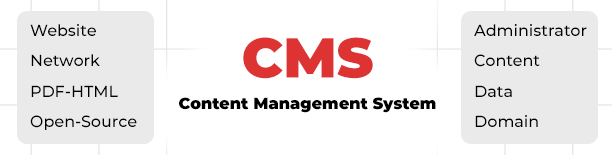
What is a Content Management System (CMS)?
One of the first steps when launching your new website is thinking about what CMS to choose. If you want your website to make it to Google’s first results, you should pick a CMS with SEO in mind that allows for maximum optimization, functionality and performance. In this article, we will compile a list of features that an SEO friendly CMS should have in order to perform well and talk about 5 popular platforms, along with advantages and disadvantages for using each one of them. There are two ways you can optimize your website for SEO:- Technical SEO - this refers to those elements that are not visible on the website, like loading time, site structure, XML sitemaps or robots.txt file;
- On page SEO - this refers to elements you see, like meta title, meta description, keywords, internal linking or images.
CMS Features that matter for SEO
- Customizable page elements
- Social: your website should be integrated with third party social media accounts and feeds;
- RSS: feed generation should be supported for attracting subscribers.
Top 5 CMS Platforms for SEO
WordPress initially started as an open source blogging platform, but it quickly became the world's most popular CMS for any website niche. Over 41% of websites are powered by Wordpress, having millions of active users worldwide, thanks to it being free, versatile and beginner-friendly, with countless integrations and templates to choose from. WordPress allows for adding meta titles, meta descriptions, alt tags, headings & custom URLs to your website. If you need more control over how your website looks on different devices, especially on mobile, you can use a solution like Elementor Page Builder. With WordPress, you can create a blog for your website, easily customize navigation menus and make use of categories or tags to organize your content. Besides those features, WordPress lacks other standard SEO functionalities. However, there are countless plugins you can choose from that help with setting up redirects, XML sitemaps or analytics. Some of the most popular & useful WordPress Plugins are:- Yoast SEO Plugin - probably the most popular Wordpress plugin, Yoast helps with on-page and technical SEO, offering both a free and paid version. With Yoast, you can set canonical URLs, create 301 redirects, modify sitemap XML or generate a robots txt file. Moreover, it offers a readability test option, giving you suggestions about adding keywords, optimizing meta tags or adding internal links.
- Google XML Sitemaps - greatly improves SEO with special sitemaps;
- RankMath - combines many features of SEO tools, like content optimization, Google Search Console & Google Analytics integration, breadcrumbs or 301 redirects;
- Redirection - easily set up 301 redirects and keep track of 404 errors;
- W3 total cache - helps with website speed, by caching website pages;
- Metatag module - used for meta tags and canonical tags;
- Pathauto module - friendly URL generator;
- Redirect - set up redirects;
- Simple XML sitemap - generate an XML sitemap;
- Accelerated Mobile Pages modules - converts pages into pages compliant with AMP standards;
- SEO Content Optimization by ReloadSEO;
- Magento SEO Suite Pro extension;
- Advanced SEO Suite by Mirasvit;
- Manadev Layered Navigation SEO.